

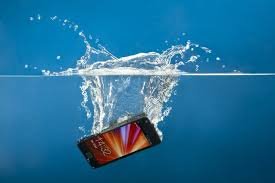
Dropping your phone into water can be a heart-stopping moment. Whether it slipped into the sink, toilet, bath, swimming pool, or even got caught in heavy rain, acting quickly can make the difference between a successful recovery and permanent damage.
While many modern smartphones offer some level of water resistance, water-resistant doesn’t mean waterproof. Even devices with an IP rating can suffer damage if they’re submerged for too long, exposed to saltwater, or have existing cracks that allow moisture inside.
If your phone has taken an unexpected swim, here’s exactly what you should do—and what you should avoid.
Step 1: Remove Your Phone from the Water Immediately
Time is critical.
The longer your phone stays submerged, the greater the chance water will reach sensitive internal components.
As soon as possible:
- Retrieve the phone from the water.
- Keep it upright if possible.
- Avoid pressing unnecessary buttons.
- Don’t shake it violently.
Every second matters.
Step 2: Turn Off the Phone
If your phone is still powered on, switch it off immediately.
Electricity and water are a dangerous combination. Leaving the device powered on increases the risk of short circuits that can permanently damage the motherboard.
If the phone has already switched itself off, do not attempt to turn it back on to see if it’s working.
Step 3: Remove Anything You Can
If possible, remove:
- Phone case
- SIM card
- SIM tray
- Memory card (if applicable)
- Accessories connected to the charging port
This allows trapped moisture to escape more easily and helps prevent corrosion.
Step 4: Dry the Outside Carefully
Use a clean, soft, lint-free cloth to gently dry the phone.
Pay particular attention to:
- Charging port
- Speaker grills
- Microphone openings
- SIM tray area
- Camera lenses
Avoid using excessive pressure, which could force water deeper into the device.
Step 5: Keep the Charging Port Facing Down
Gravity can help.
Place the phone with the charging port facing downward while drying the exterior.
This may allow some trapped water to drain naturally instead of settling inside the charging connector.
Step 6: Let the Phone Air Dry
Place the phone in a dry, well-ventilated area.
Leave it undisturbed for at least 24–48 hours before attempting to charge or power it on.
Patience is important.
Even if the outside feels dry, moisture may still remain inside the device.
Things You Should NEVER Do
Unfortunately, many common internet tips can actually make the damage worse.
Don’t Put Your Phone in Rice
This is probably the biggest smartphone myth.
Rice does not effectively remove moisture trapped inside a phone.
It may even introduce:
- Dust
- Starch particles
- Debris inside charging ports
Professional drying methods are far more effective.
Don’t Use a Hair Dryer
Hot air can:
- Damage internal adhesives
- Warp plastic components
- Force moisture deeper inside the phone
If you use airflow at all, it should be cool—not hot.
Don’t Charge the Phone
Charging while moisture remains inside can cause:
- Short circuits
- Charging port damage
- Battery failure
- Permanent motherboard damage
Wait until you’re confident the device is completely dry.
Don’t Press Every Button
Repeatedly pressing buttons may push water further into seals and openings.
Only use buttons when absolutely necessary.
Don’t Shake the Phone
Although it feels natural to shake water out, this often spreads moisture to components that weren’t originally affected.
Gentle handling is always safer.
Signs Water Has Damaged Your Phone
Some problems appear immediately, while others develop over several days.
Watch for symptoms such as:
- Screen flickering
- Black spots or coloured lines
- Speaker sounding muffled
- Charging problems
- Phone overheating
- Random restarts
- Cameras appearing foggy
- Touchscreen becoming unresponsive
- Battery draining unusually fast
Even if your phone seems fine initially, hidden corrosion can continue developing long after the phone dries.
What If Your Phone Says “Moisture Detected”?
Many smartphones automatically detect moisture inside the charging port.
If you see a warning such as:
“Moisture Detected”
or
“Liquid Detected in USB Port”
avoid charging the device until the warning disappears naturally.
Never try to bypass this safety feature, as it exists to help prevent electrical damage.
Can Water Damage Be Repaired?
In many cases, yes—but success depends on:
- How quickly you acted
- Type of liquid involved
- Length of exposure
- Whether electricity flowed through wet components
Fresh water generally causes less damage than:
- Salt water
- Sea water
- Coffee
- Soft drinks
- Juice
- Alcohol
- Soap water
Liquids containing sugar or salt leave behind residue that continues damaging internal components even after the phone appears dry.
Why Professional Inspection Matters
Water damage isn’t always visible from the outside.
A professional inspection can identify:
- Corrosion beginning on the motherboard
- Moisture trapped beneath shields
- Damaged charging ports
- Battery issues
- Screen connector damage
- Speaker or microphone corrosion
Early cleaning and repair can often prevent much more expensive damage later.
How to Reduce the Risk of Water Damage
Although accidents happen, you can lower the risk by:
- Using a high-quality protective case
- Keeping phones away from sinks and swimming pools
- Avoiding charging your phone in damp environments
- Replacing cracked screens or back glass promptly, as damaged seals reduce water resistance
- Drying your hands before handling your phone around water
Frequently Asked Questions
Is my waterproof phone completely safe in water?
No. Water-resistant ratings are tested under controlled conditions. Everyday wear, drops, cracked glass, or worn seals can significantly reduce protection.
How long should I wait before turning my phone back on?
Ideally, allow at least 24 to 48 hours of drying time before attempting to power it on. If you’re unsure whether moisture remains inside, it’s safer to have the phone inspected first.
Will my phone work normally after drying?
It might—but water damage isn’t always immediate. Corrosion can develop over time, so it’s worth monitoring your phone for unusual behaviour over the following days and weeks.
Final Thoughts
Dropping your phone in water doesn’t always mean it’s beyond repair, but your actions in the first few minutes are crucial. Turning the device off, drying it carefully, avoiding common mistakes like putting it in rice, and allowing it to dry thoroughly can greatly improve the chances of recovery.
If your phone starts showing signs of water damage—or if you’re unsure whether moisture has reached internal components—a professional inspection can identify hidden issues before they become more serious. Acting quickly may help extend the life of your device and reduce the need for more costly repairs later.
